

Game mods Lync Conf is a search phrase that points to a gaming-guides site, not a game or an official modding kit. Stable modding comes from habits: add mods slowly, sort your load order, and guard your saves.
You probably searched it after a crash, a frozen loading screen, or a save that won’t open. This game mods Lync Conf guide shows how to fix each one and keep it from coming back.
What is the Game Mods Lync Conf Approach to Stability?
You typed the name into Google, and half the results call it a game while the rest call it a mod library. Here is what we could actually verify before you trust any of it.
LyncConf is a gaming-content website. By its own description, it publishes guides, recommendations, news, mods, and settings tips rather than running a store or launcher. Some pages online describe a “Lync Conf” mod editor or SDK, but we couldn’t find an official source confirming either. At least one review also notes that the name shows up in unrelated conferencing content, which adds to the confusion. That is why the Lync Conf game mods label is worth unpacking before anything else.
So treat game mods Lync Conf as a label for guides, not as a place to download files. Guides under this label usually cover installation, load order, compatibility, and safe removal. The files themselves should come from the mod’s creator, an official in-game marketplace, or a recognized host such as Steam Workshop, Nexus Mods, CurseForge, or Mod.io.
The stability-first routine behind game mods Lync Conf guides holds up in almost any game:
- Add mods in small batches. Five at a time, then launch and test.
- Read every requirements list. Missing libraries cause many crashes.
- Sort load order wherever the game uses one.
- Keep a clean save from before your first mod.
- Change one thing at a time, so you can always undo it.
Many guides stop at “install and enjoy.” This routine goes further, because it gives you a clear way back when something breaks.
The Golden Rules of Modding Without Crashing Your PC
It’s late, you’ve just added your fortieth mod, and the game now closes itself at the main menu. Most crashes like this trace back to two habits, and both are fixable.
Game crashes after installing mods usually come from one of two things. Either files are fighting over the same spot, or your save carries leftovers from mods you already removed. The two rules below are the core of any game mods Lync Conf routine.
1. Master the Load Order (The Factorio vs. Skyrim Rule)
Picture two friends running the same two mods. One game looks perfect, and the other shows a floating sword with no texture. The only difference is the order.
Think of mod load order as a list of who gets the last word. In Skyrim and other Bethesda games, plugins (.esm, .esp, and .esl files) load in a set order. When two plugins change the same record, the one loaded last wins. Records are all-or-nothing, so a mod that changes an NPC’s behavior can overwrite another mod’s change to that same NPC’s looks. The fix is a patch or a reorder.
Nexus Mods’ own guide adds a wrinkle most posts skip: “load order” can mean two things. Loose files are settled by your mod manager’s priority, while plugin records are settled by plugin order.
Factorio plays by different rules. There is no drag-and-drop list. According to the official wiki, it loads mods by dependency first, then alphabetically within each stage. So the fix is rarely reordering. It’s making sure required dependencies and versions line up, and mod authors can force an order by declaring an optional dependency.
For Bethesda lists, LOOT sorts your plugins automatically and warns about missing requirements and incompatibilities. Its documentation still says you should understand load ordering yourself. Sort with LOOT, then read each mod page for placement notes, because guides on game mods Lync Conf can’t cover every pairing.
2. Clean Your Save Files regularly
Last week you removed a mod. Now saving takes forever, and the file keeps growing.
Bethesda saves store script data from your mods, and that data can stay behind after you uninstall. Players call these leftovers orphaned scripts, and they blame them for save file bloat and crashes. Tools such as ReSaver can inspect and trim saves for Skyrim and Fallout 4.
Be careful with Fallout 4, though. ReSaver’s author says “unattached instances” are a normal part of how that game works and advises against cleaning them, because the tool can’t yet tell which ones are still in use. Cleaning the wrong data can break a save.
Prevention beats repair, and it belongs on every game mods Lync Conf checklist:
- Keep a clean save from before you started modding, as PC Gamer’s beginner guide advises.
- Use rolling manual saves, not one file you overwrite.
- Watch for sudden size jumps in your save folder.
- Avoid removing script-heavy mods in the middle of a playthrough.
- In Factorio, the Load Game screen lists the exact mod versions a save used. Players report that holding Ctrl while clicking “Sync mods with save” fetches those exact versions.
Essential Tools Every PC Modder Needs Right Now
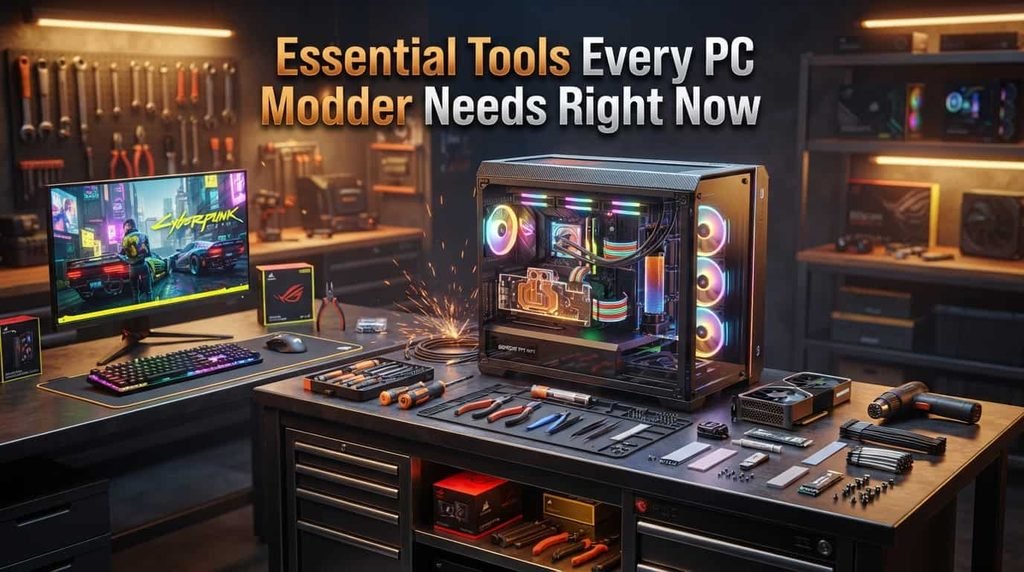
Your mod folder has passed thirty files, and you can’t remember which one changed what. That’s the moment a small toolkit starts paying for itself.
| Tool | What it does | Best for | Watch out for |
| LOOT | Sorts plugin load order and flags missing requirements | Skyrim, Fallout 3/4/New Vegas, Oblivion, Morrowind, Starfield | Auto-sorting isn’t perfect, so read mod pages |
| xEdit (SSEEdit, FO4Edit) | Finds record conflicts and builds patches | Bethesda game lists | Steep learning curve; it can’t change load order itself |
| Mod Organizer 2 | Keeps mods out of the game folder with a virtual file system; supports profiles | Big Bethesda setups and many other games | Takes patience to set up |
| Vortex | Nexus Mods’ manager with auto-sorting, conflict rules, and profiles | Beginners and 250+ supported games | Nexus has acknowledged Bethesda load order is a sticking point |
| ReSaver | Inspects and cleans Skyrim and Fallout 4 saves | Fixing bloated saves | Don’t clean Fallout 4 unattached instances |
| Factorio mod sync | Shows and syncs the mod versions a save used | Factorio | Old versions must still exist on the mod portal |
Every game mods Lync Conf setup starts with the same base layer: a mod manager. Mod Organizer 2 never writes to your game’s data folder, so removing a mod means switching it off, not hunting down loose files. Vortex automates more of the sorting and lets you keep a separate profile for each playthrough.
Then add the specialists. xEdit shows you mod conflicts at the record level, while LOOT handles the broad sorting. For a big Skyrim or Fallout list, Mod Organizer 2 plus LOOT and xEdit is a common combination. On a smaller list, Vortex alone may be enough.
Where you download matters too, and Nexus Mods vs Steam Workshop is a common debate. Steam Workshop handles hosting, sorting, and updates inside Steam for games that support it. Nexus Mods files are installed through Vortex or Mod Organizer 2. Use whichever the game supports, and avoid mixing sources for the same mod. The same split applies to any game mods Lync Conf guide: the guide explains, and the host supplies the file.
How to Diagnose a Mod Conflict in 5 Minutes
The game crashes at launch, and the crash log reads like another language. Skip the log and let simple math find the problem for you.
The binary search method tracks down mod conflicts by splitting your mod list in half again and again until one suspect remains. Thirty mods take about five launches, because 2 to the 5th power is 32. If your game reaches the menu in about a minute, that’s roughly five minutes. A list of 100 mods needs about seven tests, and the same steps work on any game mods Lync Conf setup, big or small.
- Back up your saves and write down your current mod list (or save it as a profile).
- Disable every mod. If the game still crashes, the cause isn’t a mod. It’s the game, its loader, or the install.
- Enable half your mods, keeping each required library with the mods that need it. Launch the game.
- Read the result. Crash? The culprit is in the enabled half, so disable half of those. No crash? It’s in the disabled half, so swap the halves.
- Repeat until one mod remains.
- Test it properly. Remove that mod, add the rest back, and check again, since two mods sometimes crash only together.
- Check the mod page for an update or patch, and report the problem to the author.
On Bethesda lists, xEdit conflict detection gives you a second view. Load all your plugins, right-click, and choose “Apply Filter to show Conflicts” to see which mods change the same records. A conflict is not always a bug. Two mods that move the same object only matter if the one loaded last isn’t the one you want to win.
Common Mistakes That Will Break Your Game
You followed a tutorial, dropped some files in a folder, and now nothing launches. Most game mods Lync Conf horror stories start with one of these mistakes.
- Installing everything at once. Thirty new mods means thirty suspects, and the binary search method gets much slower.
- Updating blindly. Players on Factorio’s forums describe updating mods and then being unable to load an older save until they matched the original versions.
- Trusting auto-sort alone. Nexus Mods’ guide says not to rely on LOOT sorting by itself and then just play. Read the mod pages.
- Removing mods mid-playthrough. This is the classic way to create orphaned scripts.
- Downloading from random sites. Are game mods safe? Usually, when they come from reputable hosts, but no source is perfect. Nexus Mods puts uploads through security checks and a virus scan, and its help page explains why legitimate files can still trigger false alarms. In 2023, the Fractureiser malware spread when attackers took over mod author accounts and pushed bad updates. Check the uploader, read recent comments, and scan files, even when the link sits inside a game mods Lync Conf guide. Unverified sellers are a problem outside gaming too, so if you also buy links for your own site, use this vendor checklist for buying backlinks safely.
- Taking mods online. Can you get banned for using mods? In online games with anti-cheat, it’s a real risk. Some online games tolerate visual tweaks but ban gameplay mods, and Rockstar’s support site confirms accounts can be suspended for developing or distributing online mods and exploits. Check the game’s policy first.
Frequently Asked Questions
What does “game mods Lync Conf” actually mean?
Game mods Lync Conf refers to modding guides on a gaming-content site, not a game or an official mod platform, so download files from the creator or a recognized host.
Why does my game crash after I install mods?
Usually two mods change the same thing, a required file or version is missing, or the plugin order is wrong.
Does mod load order really matter?
Yes, in Bethesda games the mod load order decides which plugin wins a conflict, while Factorio sorts mods by dependencies and then alphabetically.
How do I find which mod is crashing my game?
Use the binary search method: disable half your mods, test, and keep halving until one is left.
Can I remove a mod in the middle of a playthrough?
Sometimes, but script-heavy mods can leave leftover data in your save, so test on a copy or start a fresh save.
Can you get banned for using mods?
Yes, in many online games with anti-cheat, so keep mods offline unless the developer clearly allows them.
Are game mods safe to download?
They can be, when you download from the creator or a recognized host through a mod manager, but no source is risk free, so scan files and read recent comments, even for tips from game mods Lync Conf pages.
Final Thoughts
Smarter game mods Lync Conf habits come down to three moves: sort your mod load order, protect your saves from save file bloat, and test in small batches. LOOT and xEdit make the first move easier.
Start tonight by backing up your saves, then add a mod manager to your setup. If this game mods Lync Conf guide helped, share it with a fellow modder or keep exploring our related gaming reads.

John is a humour and lifestyle writer with over a decade of experience crafting wordplay, jokes, and shareable content for general audiences. He specialises in pun-based writing that actually makes people laugh rather than just exist on a page. His work covers everything from seasonal humour to everyday observations with a comedic twist.
